Business rules
Every team has rules that live only inside SQL: "test orders never count", "an order is revenue only once it has shipped", "money is stored in dollars". OpenPipeline lets you name those rules in one place, say who owns each one, link them to the models and columns that carry them, and flag them whenever a change touches them.
Write a rule
Rules live in openpipeline.yml at the root of your dbt project, next to
dbt_project.yml. The file is part of your project, so it is versioned and
reviewed like any other file.
rules:
  - id: lifetime-value
    name: Lifetime value is what a customer has paid
    description: >
      The total a customer has paid us, in dollars, across all orders.
    owner: growth-team
    applies_to:
      - model: customers
        columns: [lifetime_value]
You can also link from dbt's own YAML, on a model or on a column:
models:
  - name: orders
    columns:
      - name: amount
        meta:
          rules: [lifetime-value]
The full list of fields is on the rules file format page.
Where you see them
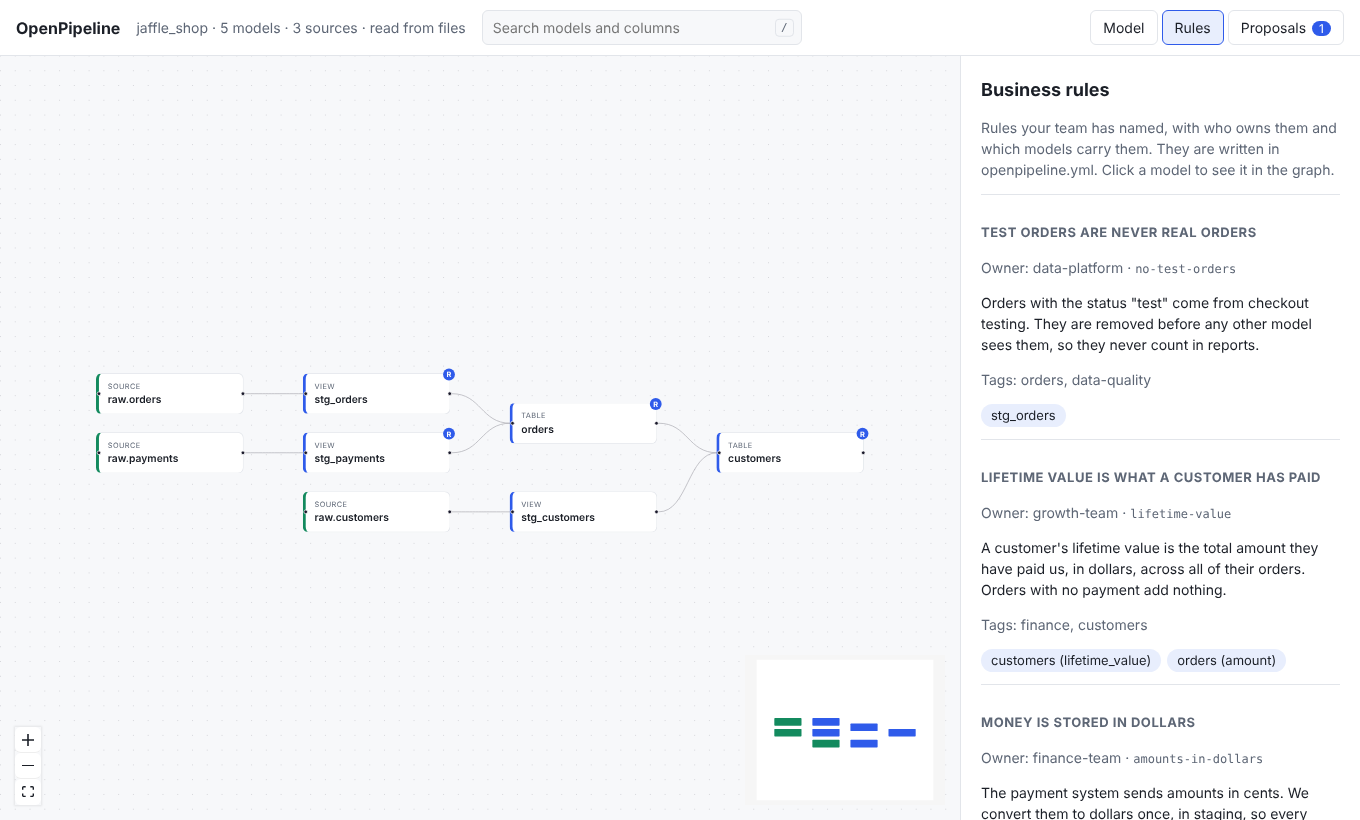
- The Rules tab lists every rule with its owner, description, and linked models. Click a model to open it on the graph.
- The model panel has a Business rules section.
- Graph boxes for models that carry a rule show a small R badge.
openpipeline rulesprints the rules grouped by owner.- PR summaries list the rules a change touches, and add the rule owners to "Owners to loop in".
- AI agents read the rules with
list_rulesand are told to name any rule a change touches in the rationale of their proposal.
Who it is for
Business readers get a plain list of the promises the data makes, with a name to ask. Data engineers get a short checklist on every pull request: "this change touches the shipped-revenue rule, so loop in finance".
If something is wrong in the rules file, your project still loads and a warning shows in the banner. See the rules page for the list of warnings.