Sample rows
Seeing a few rows is the fastest way to understand a model. OpenPipeline can run a model's SQL on small sample data, on your own machine, in an in-memory DuckDB.
- It never connects to your warehouse.
- It never writes to disk.
- A preview that runs longer than five seconds is stopped.
Turn it on
The Docker image includes it. With pip, add the extra:
pip install 'openpipeline[preview]'
Then open a model in the UI and expand Sample rows, or run:
openpipeline sample customers
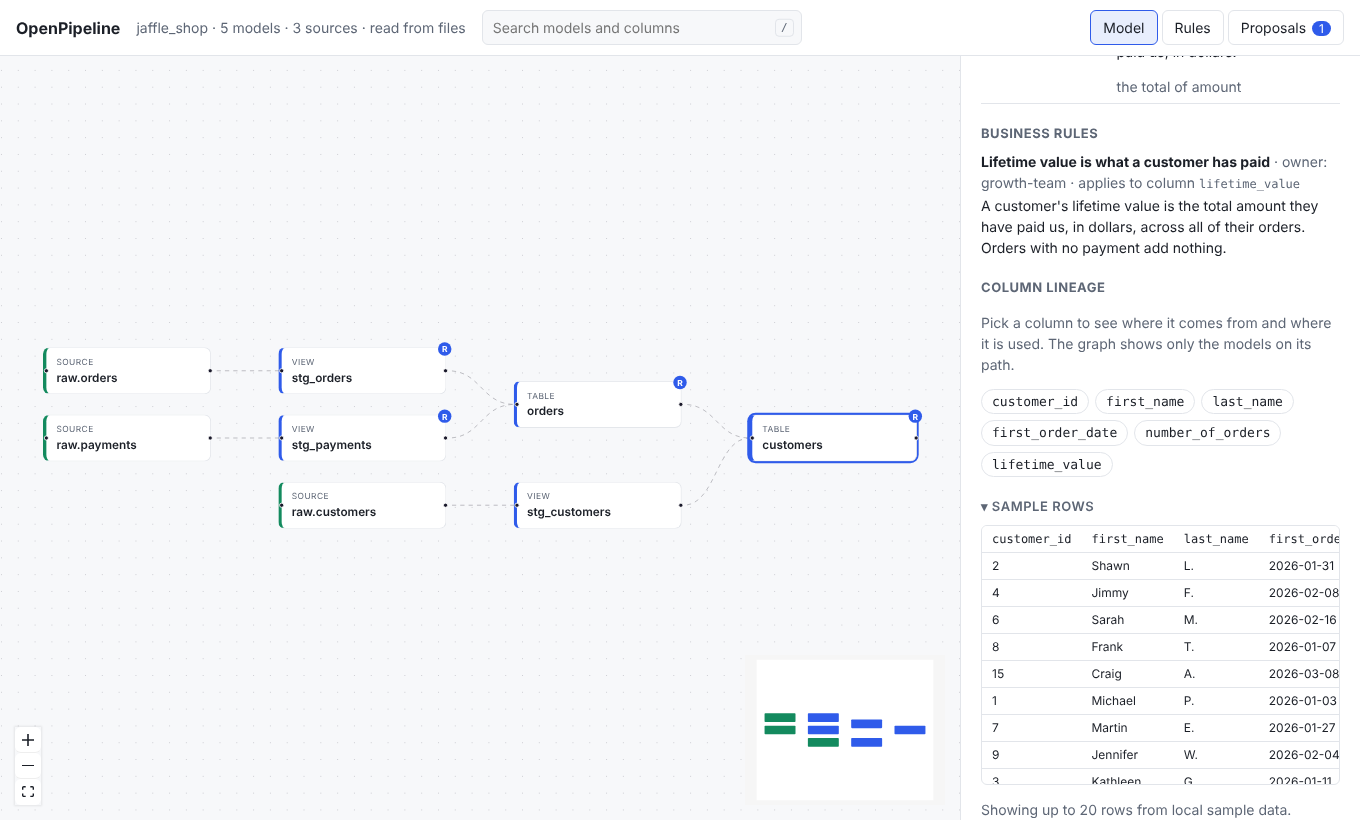
Without DuckDB the section is still there, and tells you how to install it.
Agents can call the sample_rows tool to sanity-check their own logic. See
Working with AI agents.
Where the sample data comes from
OpenPipeline looks in these places, in order.
- Seeds. Each CSV in your
seed-pathsbecomes a table named after the file. - A sample data folder. By default this is
sample_data/in your project. Use--sample-data PATHorOPENPIPELINE_SAMPLE_DATAto point somewhere else. - A DuckDB file. Pass a
.duckdbfile the same way. It is opened read-only. Put each source's tables in a schema named after the source.
The sample_data convention
Name each file <source>.<table>.csv or .parquet. The file stands in for the
dbt source of the same name:
| File | Backs |
|---|---|
sample_data/raw.orders.csv |
source('raw', 'orders') |
sample_data/raw.customers.parquet |
source('raw', 'customers') |
Keep the files small. A few dozen rows that show the interesting cases are better than a big export, and they are safe to commit. The jaffle_shop example has sample data for all of its models.
How a preview runs
OpenPipeline builds every model upstream of the one you picked, using your own SQL, then shows up to 20 rows (200 at most). If a table is missing, it tells you which file to add.
Set --dialect or OPENPIPELINE_DIALECT (for example snowflake or
bigquery) so the SQL is read in your warehouse's dialect.
Rows come back in whatever order DuckDB produces them, so two runs of a model
without an order by can show them in a different order.
Set it once for the team
Instead of passing flags, add a preview: section to openpipeline.yml:
preview:
  sample_data: sample_data   # a folder or a .duckdb file, relative to the project
  dialect: snowflake
A flag wins over an environment variable, and an environment variable wins over the file.
What cannot be previewed
OpenPipeline does not run dbt, so it cannot run Jinja. Models that use macros,
var(), or other Jinja beyond ref() and source() cannot be previewed, and the
panel says so. Functions that only exist in your warehouse may also fail in
DuckDB. See the FAQ.
The numbers you see come from sample data. They show what the model does, not what is in production.